 Spices
Cups to grams. °F to your oven.
A recipe keeper that translates any recipe to your kitchen, and keeps the original one tap away.
Save from wherever you find them
- Recipe websitesshare from Safari
- Instagramfrom the caption
- TikTokfrom the caption
- YouTubefrom the description
- Screenshotsread on your iPhone
- Cookbook photosscan a page
- Pasted textfrom anywhere
- Grandma's cardphotograph it
No more converting by hand.
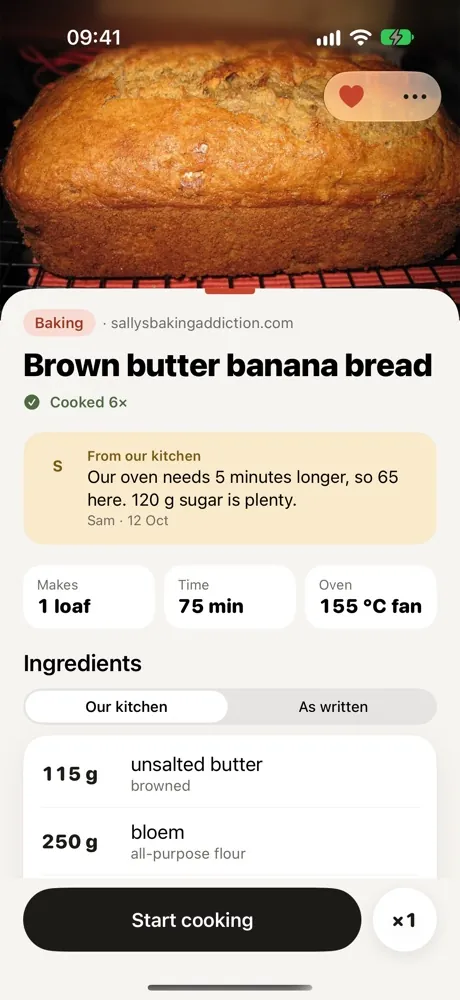
A stick of butter and 350 °F from a US blog. Gas mark 4 from a British one. Every recipe shows in your units, your oven and the names you shop by.
Sticks, cups and spoons become grams and millilitres, rounded the way a scale reads.
°F, °C, gas mark, fan or conventional. Set your oven once.
Ingredient names in the words you shop by, in the US, UK, Australia or the Netherlands.
An Australian tablespoon is not a US one. Spices knows which recipe used which.
Scale to the pan you own, and the steps scale with the ingredients.
Or scale to the amount you have: that 500 g pack, not 1 lb.
The recipe as written is always one tap away. Estimates are marked as estimates.
Sound familiar?
In most homes, one person holds the recipes: in their head, their screenshots and their Instagram saves. Everyone else has to ask.
"Where's that recipe?"
Somewhere between the bookmarks, the screenshots and a post saved in March. Now it's in one drawer, without the ads.
"What are we eating tonight?"
The plan lives in one person's head. When they're working late, nobody else knows. Now the week is on everyone's phone.
"That's not how we make it."
Less sugar, five more minutes in the oven, double for guests. Now it's written next to the recipe, with who wrote it.
Share it. Check it. Cook it.
- 01
Share it to Spices
From Safari, Instagram, TikTok or your photos. Or paste the text, or write it yourself.
- 02
Check what it found
Ingredients, steps, source and credit, already in your units. Anything it had to guess is marked, never slipped in quietly.
- 03
Cook it the way you like it
Step by step, with timers. Afterwards, note what you'd change, and the whole household sees it.



Made for everyone at your table.
Invite your household through iCloud. Everyone sees the same recipes, the same notes and the same plan for the week.
- Notes stay with the recipe
- With who wrote them and when.
- Our version and the original
- Change it the way you make it. The original stays one tap away.
- Rather not
- Coriander or olives for someone? On the side, not in the pot.
- Private by default
- Your own iCloud. No account, no feed, no ads.
Cook mode that stays out of the way.

One step at a time
Large type, the screen stays on, this step's ingredients right under it.
Every time becomes a timer
Several at once, each with its own name.
Two pans for two versions
One person skips the meat? Their part gets a swap, the rest stays shared.
Afterwards, note what you'd change
Dated, with who wrote it, right where the household sees it next time.
And the rest of the week.
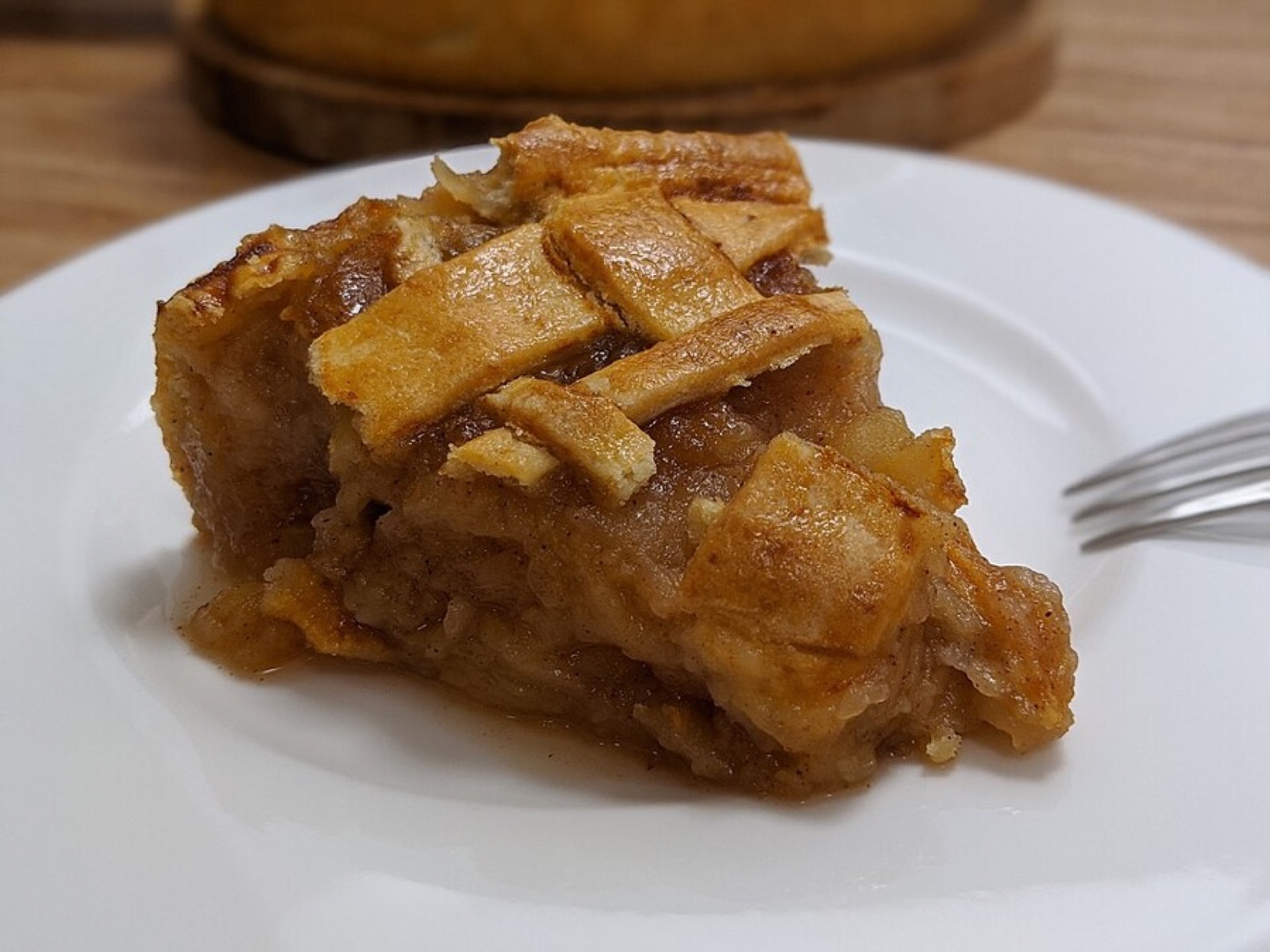
Split mealsPRO
Mixed diets at one table. One pot stays shared, one part gets a swap, cook mode runs both pans.

Whoever cooks tonight knows what's planned
A simple week of dinners and who cooks them. The shopping list goes to shared Reminders.
The whole household
One purchase. Invited members join free. No subscription for the basics.
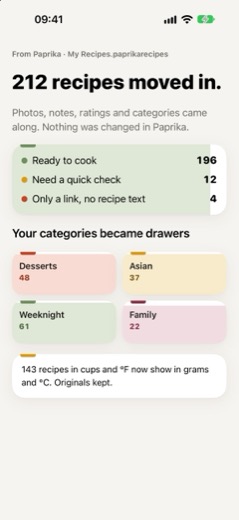
Bring your library
One tap from a Paprika, Mela or Crouton export. Categories become drawers.
Honest about what it read
A paywalled page, or a video with the recipe only spoken: it tells you, and offers the screenshot route. Nothing is guessed silently.
Questions
Can I save recipes from Instagram and TikTok?
Yes. Share the post to Spices and it reads the recipe from the caption. If the recipe is only spoken in the video, take a screenshot of the ingredients and import that instead.
Does it convert cups to grams?
Yes. Recipes show in the units you choose: metric, US cups, or UK and Australian measures. Ovens convert between °C, °F, gas mark, fan and conventional. You can always switch back to the recipe as written.
Can my partner or family use the same recipes?
Yes. Invite them from Settings and your household shares one library, one week plan and the same notes, through iCloud.
Do I need an account?
No. Spices uses your iCloud account to sync and share. There's nothing to sign up for.
What happens when a recipe is behind a paywall?
Spices tells you it couldn't read the page and why. You can open the page in the app and share it again, or import a screenshot. It never gets around a paywall.
Which devices does it run on?
iPhone and iPad.
Coming soon to iPhone and iPad.
Spices is in testing now. Questions, or a recipe site you want it to read? Tell us.